


Free Design Courses Online: Learn UI/UX and Graphic Design
Learn design for free, from graphic design and Canva to UI/UX and Figma. Courses are built from curated video lessons with quizzes and an AI tutor, and every one pushes you to produce actual design work. Finish with a portfolio piece and an optional certificate recognised by 900+ hiring partners.
Most popular Design courses
The courses learners in this category start most often. Every one is free, with an AI tutor and an optional certificate.
 Beginner
Film Editing Basics
View course →
 Beginner
Makeup
View course →
 Beginner
Blender
View course →
 Beginner
Solidworks
View course →
 Beginner
After Effects
View course →
 Beginner
Video Editing Techniques
View course →
 Advanced
Crochet
View course →
 Beginner
Art Direction
View course →
 Beginner
Instructional Design
View course →
 Beginner
AI for Graphic Design
View course →
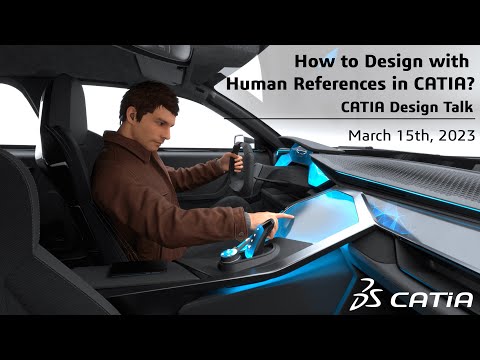 Beginner
CATIA Design Engineer
View course →
 Beginner
Visual Effects (VFX)
View course →
All 293 Design courses
Every course in this category, A to Z. Each one is free to learn from the first lesson to the last.
- 2d animationBeginner
- 2D DraftingBeginner
- 3D ArtBeginner
- 3D ModelingBeginner
- 3D Motion Graphics EssentialsBeginner
- 3D RenderingBeginner
- 3D Rigging and AnimationBeginner
- 3ds maxBeginner
- Adobe IllustratorBeginner
- Adobe Photoshop Mastery for Graphic DesignersBeginner
- Adobe Premiere ProBeginner
- Adobe XDBeginner
- Advanced 2D Drafting for plan CreationAdvanced
- Advanced Editing Techniques Using AIIntermediate
- Advanced Fashion Design TechniquesAdvanced
- Advanced Instructional Design TechniquesAdvanced
- Advanced Tools and CollaborationIntermediate
- Advanced UI Design TechniquesAdvanced
- Advanced UI Design TechniquessAdvanced
- Advanced UI/UX Industry Trends & AI in UXAdvanced
- Advanced UX Techniques & TrendsAdvanced
- After EffectsBeginner
- After Effects (English)Beginner
- After Effects Motion GraphicsBeginner
- AI Design MasteryBeginner
- AI for Graphic DesignBeginner
- AI for UI DesigningBeginner
- AI for website designBeginner
- Airbrush MakeupBeginner
- Alight motionBeginner
- Alternative Workflows for EfficiencyBeginner
- AnimationBeginner
- Architectural DesignBeginner
- Art DirectionBeginner
- ArtcamBeginner
- Articulate storylineBeginner
- Arts and craftsBeginner
- Auto cadBeginner
- Auto cad softwareBeginner
- AutoCADBeginner
- AutoCAD (English)Beginner
- ÀutoCad 2D Interior DesignBeginner
- AutoCAD 3DBeginner
- AutoCAD and RevitBeginner
- AutoCAD ArchitectureBeginner
- AutoCAD Civil 3DBeginner
- AutoCAD ElectricalBeginner
- AutoCAD for Landscape DesignBeginner
- Autocad for solarBeginner
- Autocad for solar industryBeginner
- AutoCAD Mastery for Civil EngineersBeginner
- AutoCAD mechanicalBeginner
- AutoCAD MEPBeginner
- Autodesk Plant 3DBeginner
- Beginner's Guide to Illustrator (Hindi)Beginner
- Behavioral Economics for Product DesignBeginner
- BimBeginner
- BlenderBeginner
- Blender 3D ModelingBeginner
- Blender Basic (English)Beginner
- Blender Environment DesignBeginner
- Blender Hard Surface ModelingBeginner
- Blender riggingIntermediate
- Blender SculptingBeginner
- Bridal MakeupBeginner
- Bringing Illustrations to LifeBeginner
- Building Advanced UI/UX ProjectsAdvanced
- CAD Software (AutoCAD, SolidWorks)Beginner
- CAD TechnicianBeginner
- Cake decorationBeginner
- Canva - Graphic DesigningBeginner
- Canva for Product ManagersBeginner
- Canva in hindiBeginner
- Canva Video EditingBeginner
- Canva with AiBeginner
- CapcutBeginner
- Careers in UX DesignBeginner
- CatiaBeginner
- Catia course exterior & interiorBeginner
- CATIA Design EngineerBeginner
- Certificate for sketchupBeginner
- Cinematic Video EditingBeginner
- CinematographyBeginner
- Civil 3DBeginner
- Civil draughtsmanBeginner
- Clock MakingBeginner
- Color TheoryBeginner
- Comfy UIBeginner
- Concept Art for GamesBeginner
- Construction Blueprint ReadingBeginner
- Cookie DecoratingBeginner
- CoreldrawBeginner
- CreoBeginner
- CrochetAdvanced
- Cupcake DecoratingBeginner
- Data-Driven UX & Usability TestingIntermediate
- DaVinci ResolveBeginner
- DaVinci Resolve EditingBeginner
- DaVinci Resolve Pre-BeginnerBeginner
- Davinci, filmoraBeginner
- DESIGN THINKINGBeginner
- Design Thinking and AI ApplicationsBeginner
- Design Thinking and User-Centered DesignBeginner
- Design Thinking ProcessBeginner
- Designing for Finance and ComplianceIntermediate
- Diamond jewelleryBeginner
- Digital Art BasicBeginner
- Digital Art Basic (English)Beginner
- Digital Art for Social MediaBeginner
- Digital Fashion Illustration MasteryBeginner
- DocumentaryBeginner
- DrawingBeginner
- Drawings and DocumentationBeginner
- Dtp operatorBeginner
- E commerce photographyBeginner
- E3dBeginner
- Ear TrainingBeginner
- eLearning DesignBeginner
- Electrical engineering auto cadBeginner
- ElementorBeginner
- Elements of UI DesignBeginner
- EmbroideryBeginner
- Environment Art EssentialsBeginner
- Event decoratingBeginner
- Event PhotographyBeginner
- Eye MakeupBeginner
- Eyebrow TattooingBeginner
- Facade grcIntermediate
- Facade Lighting TechniquesBeginner
- Fashion Collection DevelopmentBeginner
- Fashion Design FundamentalsBeginner
- Fashion designerBeginner
- Fashion designingBeginner
- Fashion PhotographyBeginner
- Fashion stylistBeginner
- FigmaBeginner
- Figma (Hindi)Beginner
- Film Editing BasicsBeginner
- Film PhotographyBeginner
- Film Production DesignBeginner
- FilmmakingBeginner
- Final Cut ProBeginner
- Fine Art PhotographyBeginner
- FL Studio Begginer Music ProductionBeginner
- Fondant IcingBeginner
- Food PhotographyBeginner
- Furniture designer using solidworksBeginner
- fusion 360Beginner
- Game DesignBeginner
- GardeningBeginner
- GemstoneBeginner
- GIMPBeginner
- Graphic Design Principles and ApplicationsBeginner
- Graphic designingBeginner
- Graphic Designing - ConceptsBeginner
- GraphicsBeginner
- Guitar AdvancedAdvanced
- Human-Computer InteractionBeginner
- iMovieBeginner
- InDesign for Print and Digital MediaBeginner
- Information ArchitectureBeginner
- Instructional DesignBeginner
- Instructional Design & Digital LearningBeginner
- Instructional designerBeginner
- Interaction DesignBeginner
- Interior design and architectureBeginner
- Interior Designing With AutoCADBeginner
- Introduction to Adobe PhotoshopBeginner
- Introduction to AutoCAD for Interior DesignBeginner
- Introduction to Maya for BeginnersBeginner
- KineMaster Editing in hindiBeginner
- Korean MakeupBeginner
- Landscape architectureBeginner
- LightroomBeginner
- Logo designBeginner
- Macro PhotographyBeginner
- Make UpBeginner
- MakeupBeginner
- Medical IllustrationBeginner
- MehandiBeginner
- Mehndi artistBeginner
- Mindmap and wireframesBeginner
- Mobile photographyBeginner
- Motion Graphics BasicBeginner
- Motion Graphics DesignBeginner
- MusicBeginner
- Music theoryBeginner
- Nail artBeginner
- Navigation Design and Information ArchitectureBeginner
- Newborn PhotographyBeginner
- Packaging specialisationBeginner
- PaintingBeginner
- Pencil drawingBeginner
- PerfumeryBeginner
- Permanent Makeup (PMU)Beginner
- Pet PhotographyBeginner
- Photo EditingBeginner
- PhotographyBeginner
- Photography LightingBeginner
- PhotojournalismBeginner
- PhotoshopBeginner
- Photoshop Advanced (English)Advanced
- Plastic automotive parts designBeginner
- Portfolio Development for ArtistsBeginner
- Portrait drawingBeginner
- Portrait/landscape photographyBeginner
- PotteryBeginner
- Power grade in davinci resolveBeginner
- Premiere Pro Essentials: A Beginner's GuideBeginner
- ProcreateBeginner
- Procreate adjustmentsBeginner
- Product- UX StrategyBeginner
- Prosthetic MakeupBeginner
- quiltBeginner
- Real Estate PhotographyBeginner
- RevitBeginner
- Revit DynamoIntermediate
- Revit for Interior ArchitectureBeginner
- Revit mepBeginner
- Revit Structure EssentialsBeginner
- Rhino 3DBeginner
- Rhino grasshopperBeginner
- Service DesignBeginner
- SewingBeginner
- Short filmBeginner
- Sketch upBeginner
- Sketching BasicsBeginner
- Skinning, Rigging & Animation for BeginnersBeginner
- Social Media Video EditingBeginner
- SolidworksBeginner
- SolidWorks ElectricalBeginner
- Sound Designing on SetBeginner
- Sound Production and DesignBeginner
- Space PlanningBeginner
- Sparkling Art of Film DirectionBeginner
- Special EffectsBeginner
- Special Effects MakeupBeginner
- Sports PhotographyBeginner
- Story, Scripting and Story BoardingBeginner
- Street PhotographyBeginner
- Studio PhotographyBeginner
- Study of ancient world mapBeginner
- Surveying Data through Card Sorting & Site MapsBeginner
- Sustainable Design and InnovationBeginner
- Table-scaping & food stylingBeginner
- Task Flow & User FlowBeginner
- Textile DesignBeginner
- Theatrical MakeupBeginner
- Theory and Practical CinematographyBeginner
- Thumbnail designingBeginner
- Tools and PlatformsBeginner
- Travel PhotographyBeginner
- TypographyBeginner
- Typography for UI designBeginner
- U-ux designerBeginner
- UI-UX Fundamentals for Beginners (Hindi)Beginner
- UI-UX Fundamentals for Product ManagersBeginner
- UI/UX DesignBeginner
- UiuxBeginner
- Underwater photography with a goproBeginner
- UnigraphicsBeginner
- User Experience (UX) Design and PrototypingBeginner
- User Experience and Design ThinkingBeginner
- User Interface Design with AIBeginner
- User ResearchBeginner
- User Research and AnalysisBeginner
- User Research and PersonasBeginner
- VastuBeginner
- Vegan BakingBeginner
- Video editingBeginner
- Video editing in mobileBeginner
- Video Editing TechniquesBeginner
- Video ProductionBeginner
- VideographyBeginner
- VideosBeginner
- Visual communicationBeginner
- Visual DesignBeginner
- Visual Effects (VFX)Beginner
- Visual merchandiserBeginner
- VN Video EditingBeginner
- Water colourBeginner
- Water paintingBeginner
- Web designingBeginner
- Website DesigningBeginner
- Wedding photographyBeginner
- Wedding videographyBeginner
- WireframingBeginner
- Wireframing & PrototypingBeginner
- Wireframing and MockupsBeginner
- Wireframing, Prototyping, & Laws for UXBeginner
- WIXBeginner
- Wondershare FilmoraBeginner
- ZbrushBeginner
Learning Design on LearnTube
Design work is everywhere software is: every app needs screens, every brand needs visuals, every product team needs someone who understands users. This category covers both sides of that demand. On the visual side there's graphic design, Canva and brand design. On the product side, UI/UX design, Figma, wireframing and user research.
You don't need to draw well, and you don't need an expensive setup. Figma and Canva are free, and the beginner courses start from a blank canvas. What gets designers hired is a portfolio, so the courses are structured around producing real pieces: social creatives, app screens, redesigns of existing products. Do the exercises as you watch and you'll finish each course with something to show, not just something you watched.
How learning works on LearnTube
The structure of a bootcamp, the price of free.
AI curates your path
Our AI picks the top 1% of video content for each topic and arranges it into a structured, goal-based curriculum. No more tutorial roulette.
Learn, then get quizzed
After every lesson, your AI tutor asks you a question and gives personalised feedback on your answer, so gaps get fixed immediately.
Finish with proof
Complete the course, build the capstone project, and claim a certificate recognised by 900+ hiring partners.
Frequently asked questions
What learners ask before starting a Design course.
Do I need to know how to draw to learn design?
No. UI/UX and most graphic design work is built from layout, typography, colour and spacing, not drawing. Tools like Figma and Canva handle the shapes; the skill is knowing what looks right and why.
Should I learn graphic design or UI/UX first?
They share foundations, so either works. Pick UI/UX if you want to work on apps and websites with product teams. Pick graphic design if you're drawn to branding, social media creatives and print. Try an intro course in each; they're free.
Which design tools do these courses cover?
Figma for UI/UX and product design, Canva for quick graphic work, plus courses on the underlying skills like typography, colour theory and user research. Figma and Canva both have free plans, so you can follow along without buying anything.
How do I build a design portfolio with no clients?
Redesign things that exist. Take an app you use daily and improve one flow, or make brand assets for an imaginary company. The course projects are built to become portfolio pieces, and unsolicited redesigns are a completely normal way to start.
Is design a stable career with AI tools improving so fast?
AI tools generate images, but they don't sit in a product meeting and decide what a user needs. Designers who use AI to move faster while owning the thinking are in demand. The judgment is the job; the tools keep changing.
Explore other course categories
Pair your new skills with a complementary category to stand out even more.
Start learning Design today, for free
Pick a course above, learn with an AI tutor that never gets tired, and claim a certificate at the finish line. All you need is an hour a day.
Start Learning Free